Enterprise UX
Workplace Management
Service Design

MY ROLE
TOOLS
Figma, Miro
TIMELINE
6 months (Jan–Jun 2023)
PRODUCT TYPE
Enterprise Workplace Platform
Overview
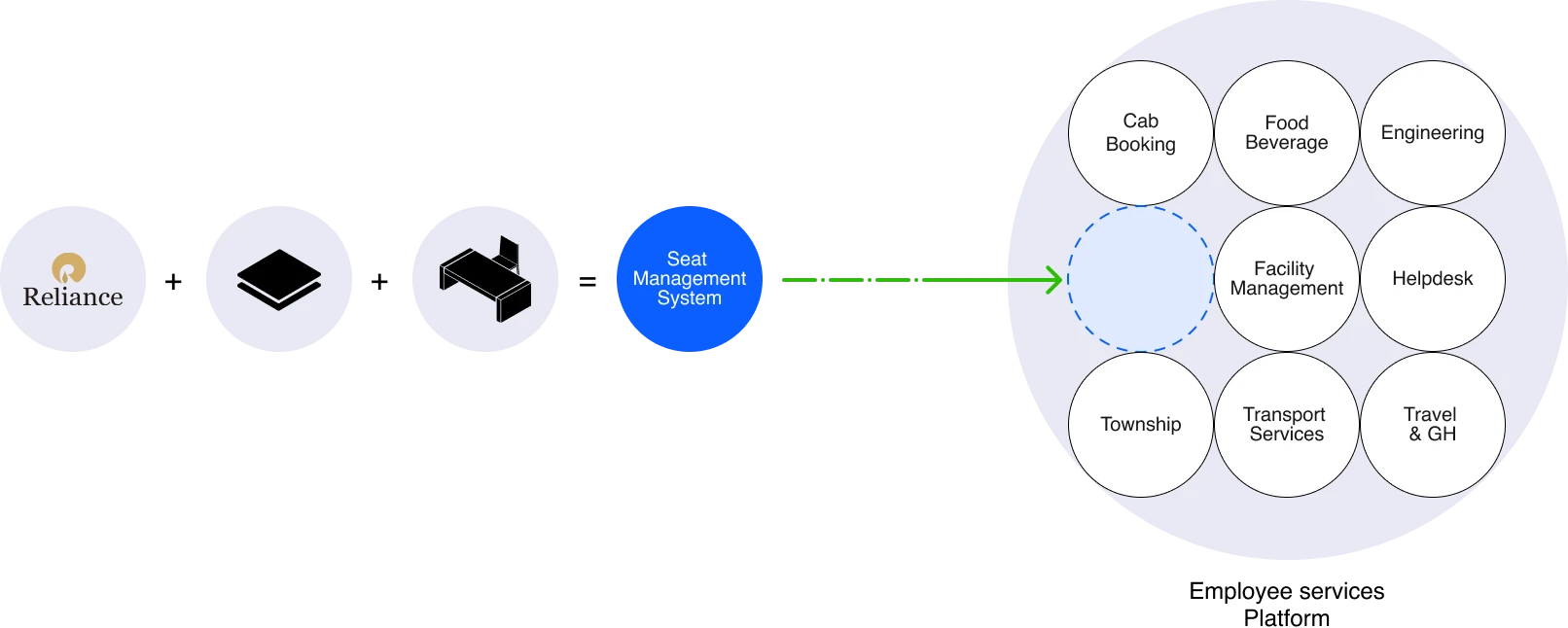
Early 2021 marked the return to office for thousands of employees. Reliance needed a scalable way to manage workplace capacity and enable employees to book seats across multiple locations.
The project focused on building a self-service seat management experience for 20,000+ employees, integrated within the existing employee services ecosystem.
Design Challenges
Design a scalable seat booking experience that could support different employee roles, office locations, approval workflows and seating requirement, while remaining simple enough for everyday use.
My Role
I worked on the experience strategy and UX/UI design for the web and mobile experience. My role involved defining journeys, workflows and interaction patterns in collaboration with SMEs, developers, HR and the product team.
I worked alongside two designers and product managers on entire platform experience.
Discovery & Strategy
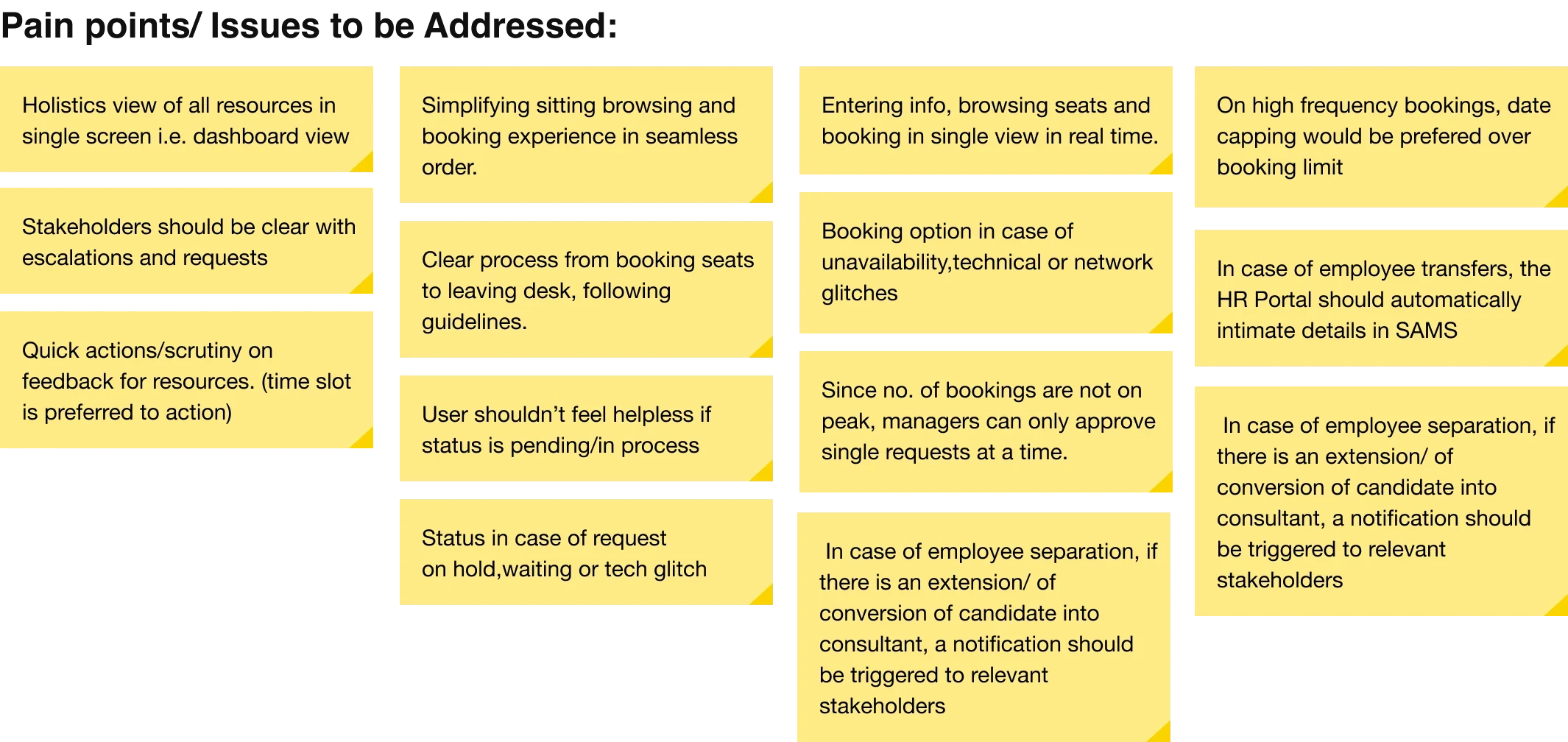
Before designing the solution, we needed to understand how seat allocation worked across the organisation and the people, systems and constraints involved.
We explored the existing service, stakeholder knowledge, user needs and market patterns to define the problem space and identify opportunities.
Understand the system → Understand the people → Understand the needs → Understand the journeys → Identify opportunities
Competitive Analysis
Reviewed existing solutions to identify proven patterns, gaps and opportunities.
Service personas
Worked with SMEs to understand the current service, workflows and operational constraints.
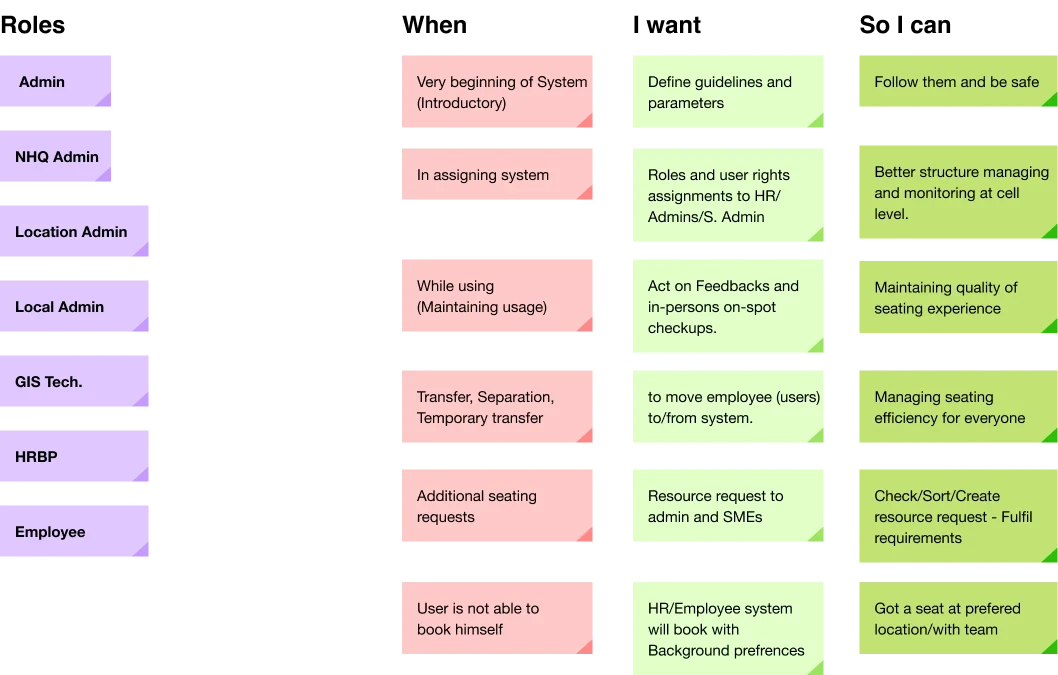
JTBD Framework
Mapped the key roles involved in the service and their responsibilities.
Journey maps
Defined user goals, contexts and desired outcomes beyond individual features.
Competitive Benchmarking
We reviewed comparable workplace and bookable-service platforms to understand established interaction patterns, identify common gaps and uncover opportunities for the seat booking experience.
COMPARABLE SOLUTION

KEY FINDINGS
What worked well
Interactive maps made seat selection easier to understand.
Live availability gave users better visibility before booking.
Simple, focused flows reduced navigation effort.
Opportunities to improve
Create a more flexible booking experience for different scenarios.
Connect booking seamlessly across existing employee touchpoints.
Make seat availability and capacity easier to understand at a glance.
Clearly surface seat quotas and booking constraints upfront.
Gaps to avoid
Limited accessibility considerations.
Long forms and unnecessary information before booking.
Poor support for edge cases, often requiring manual intervention.
Understanding the System
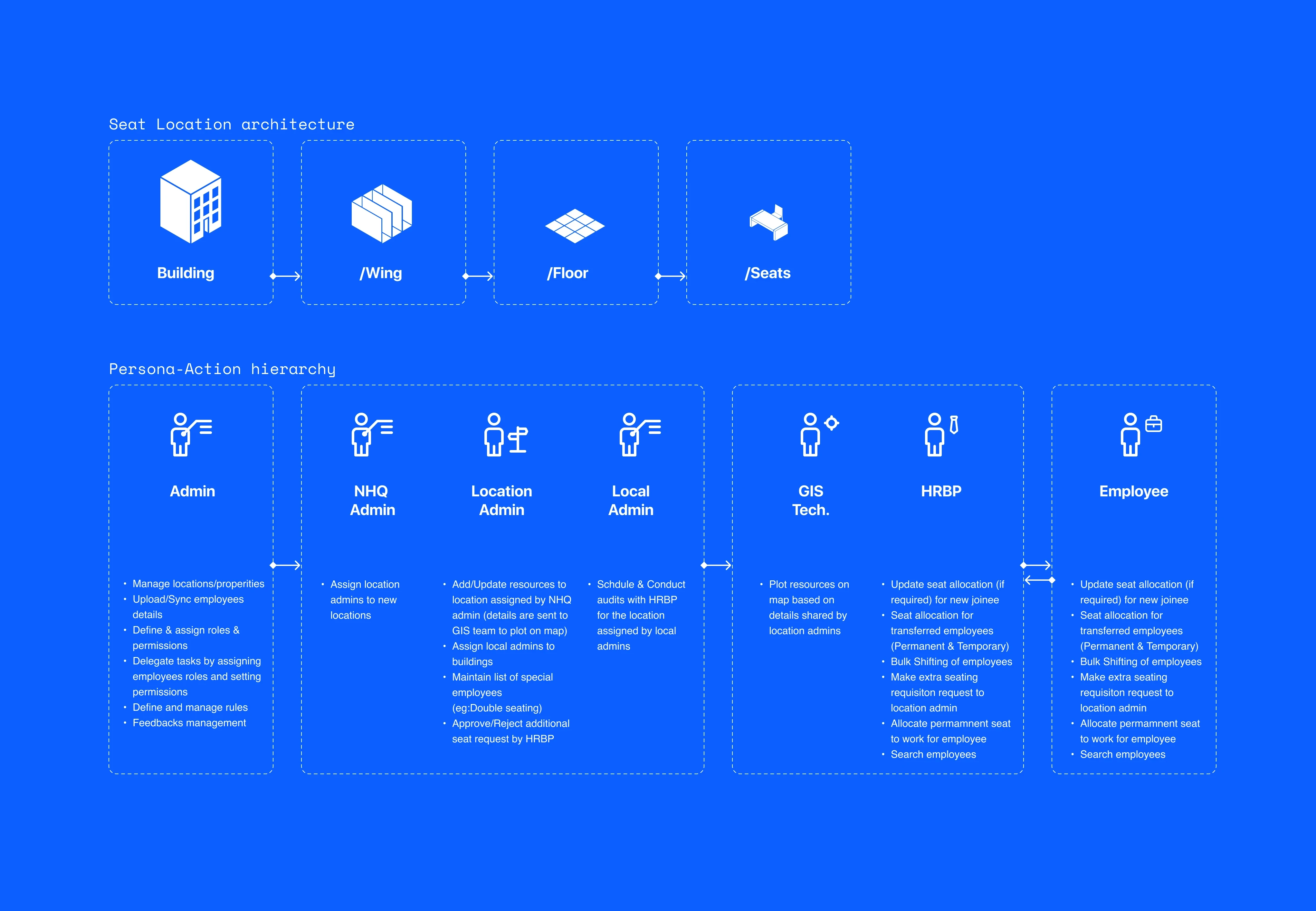
Before defining the booking experience, we mapped the workplace structure and the roles responsible for managing it.
This helped us understand where seats existed, how they were organised and who controlled their availability.
Defining User Needs
With a clearer understanding of the system and its users, we translated different user needs into specific jobs, contexts and desired outcomes.
This helped us focus on what users were trying to accomplish, rather than jumping directly to features.
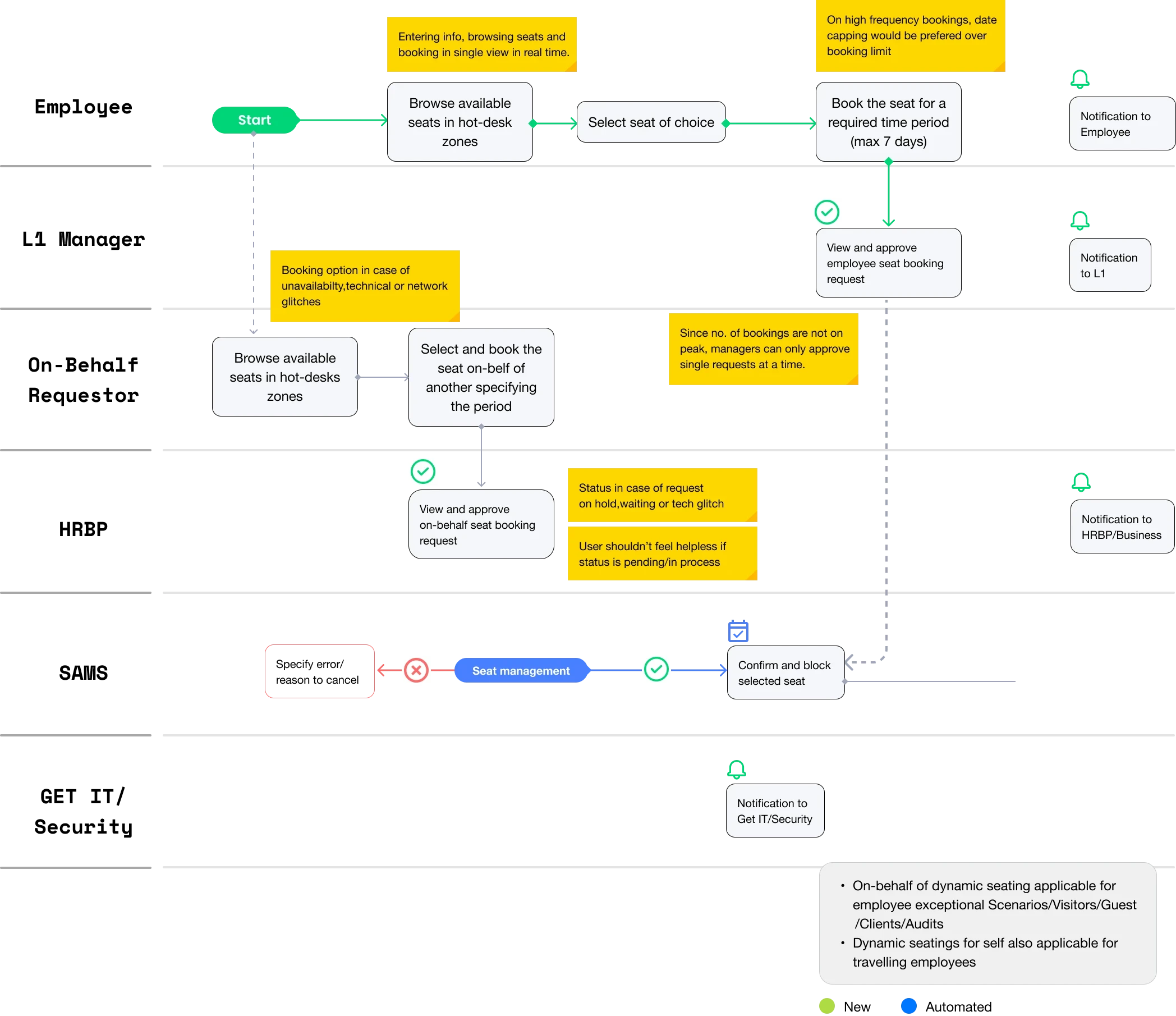
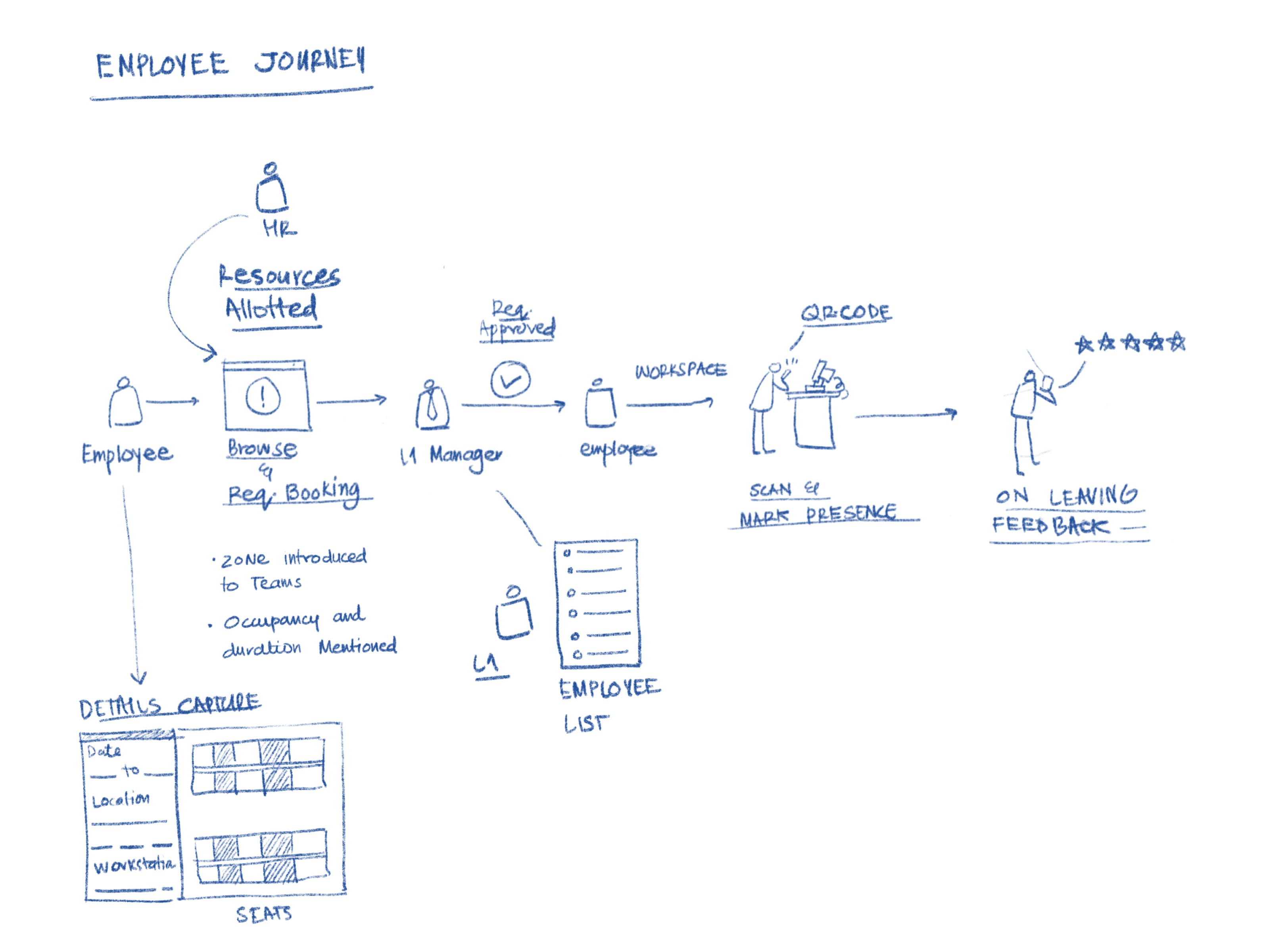
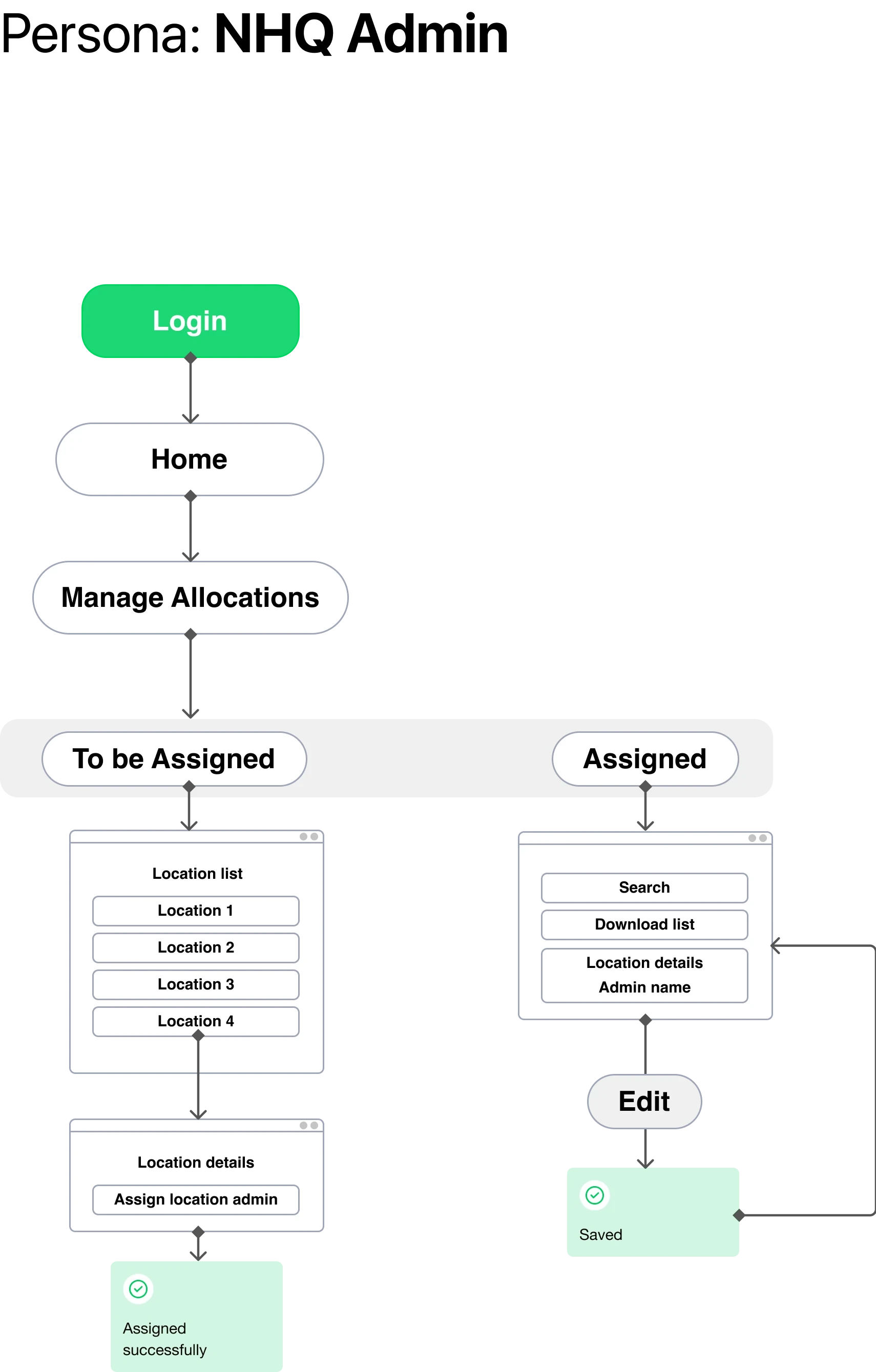
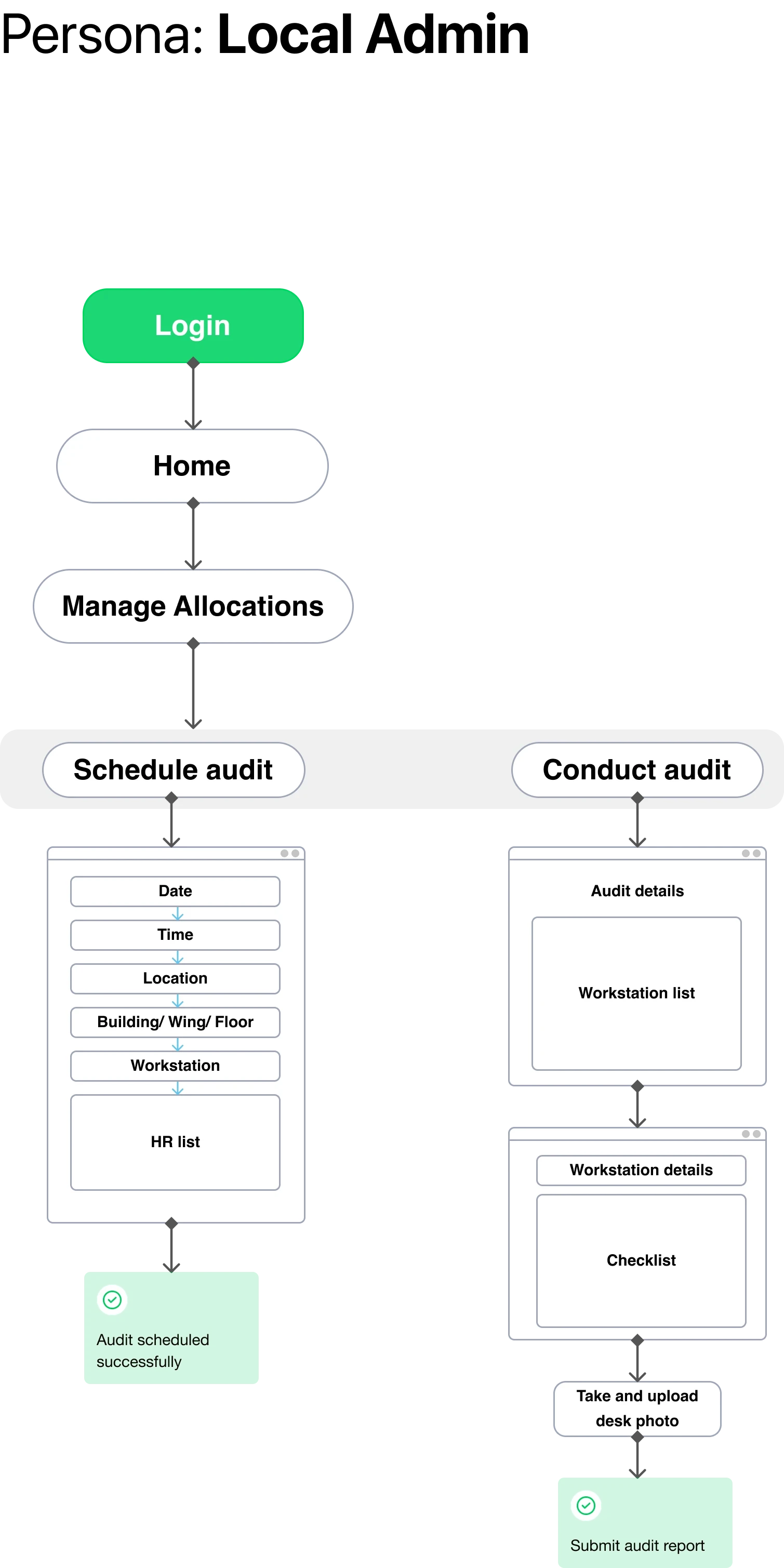
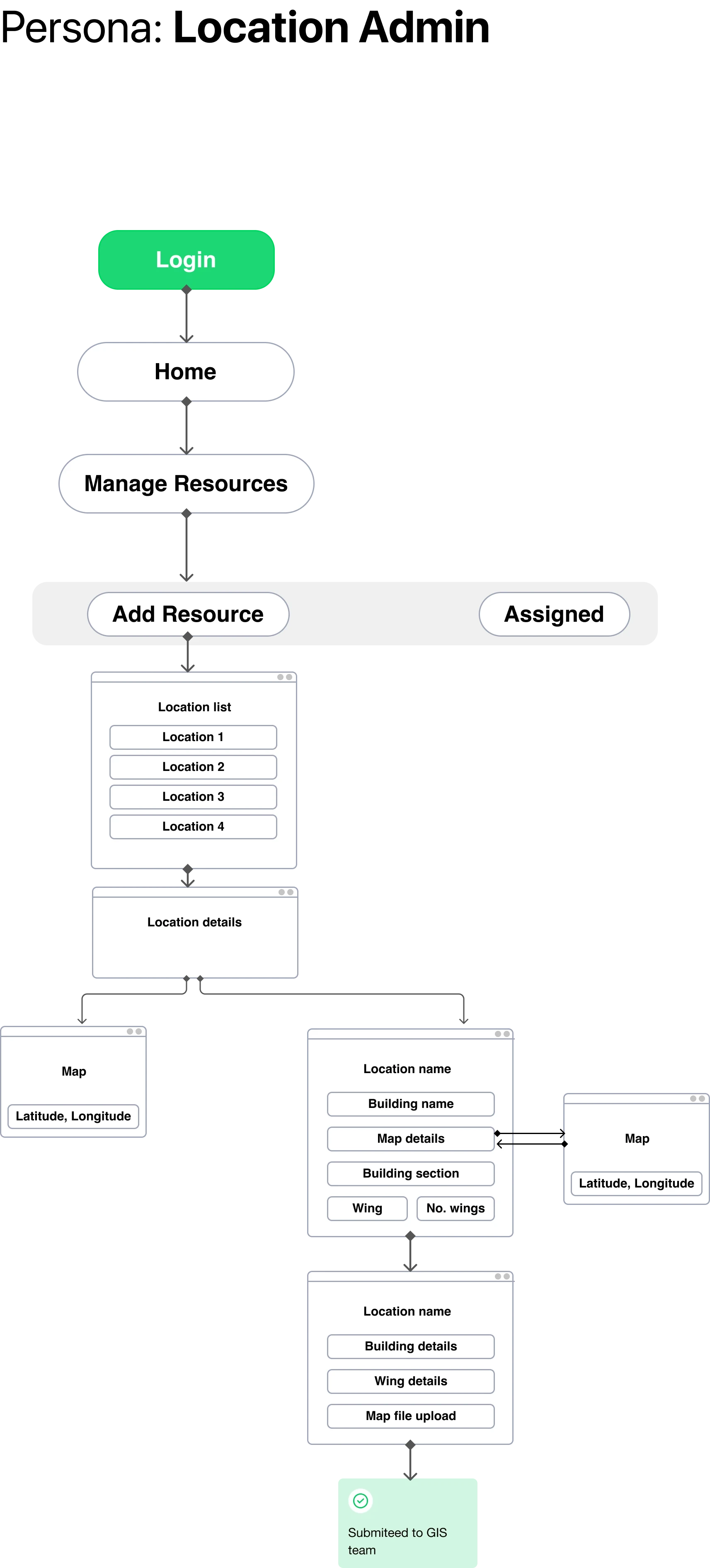
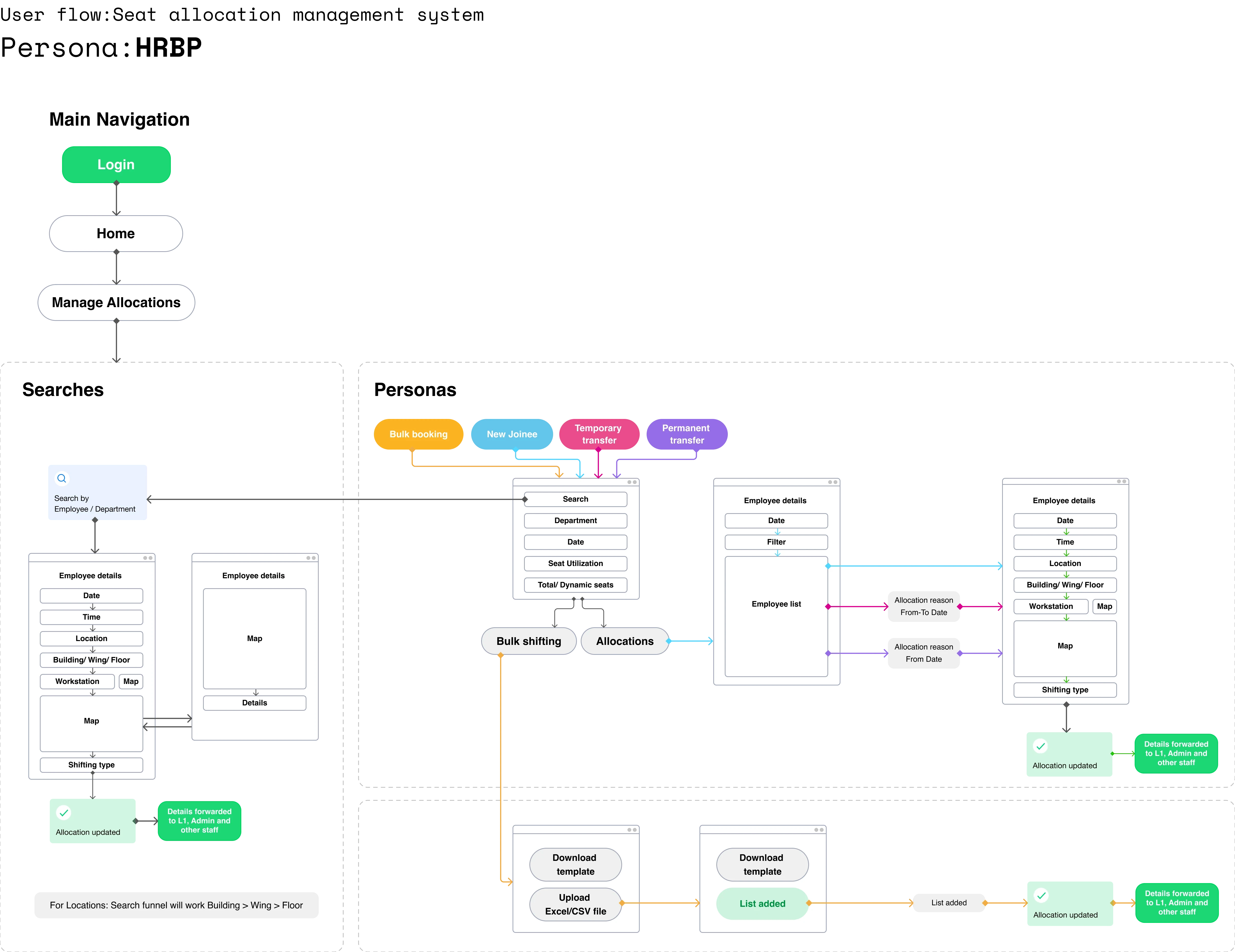
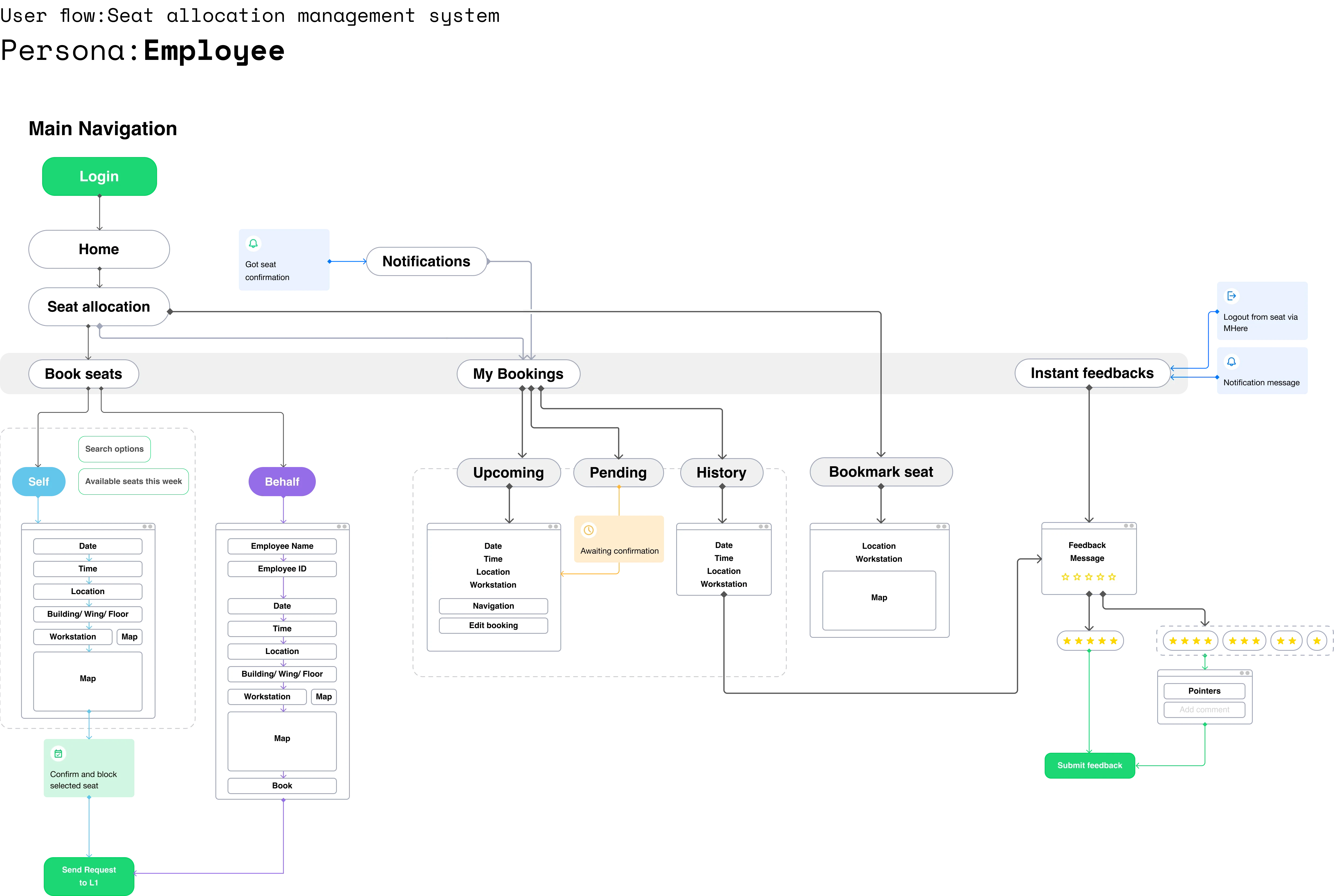
User flow
Final Experience
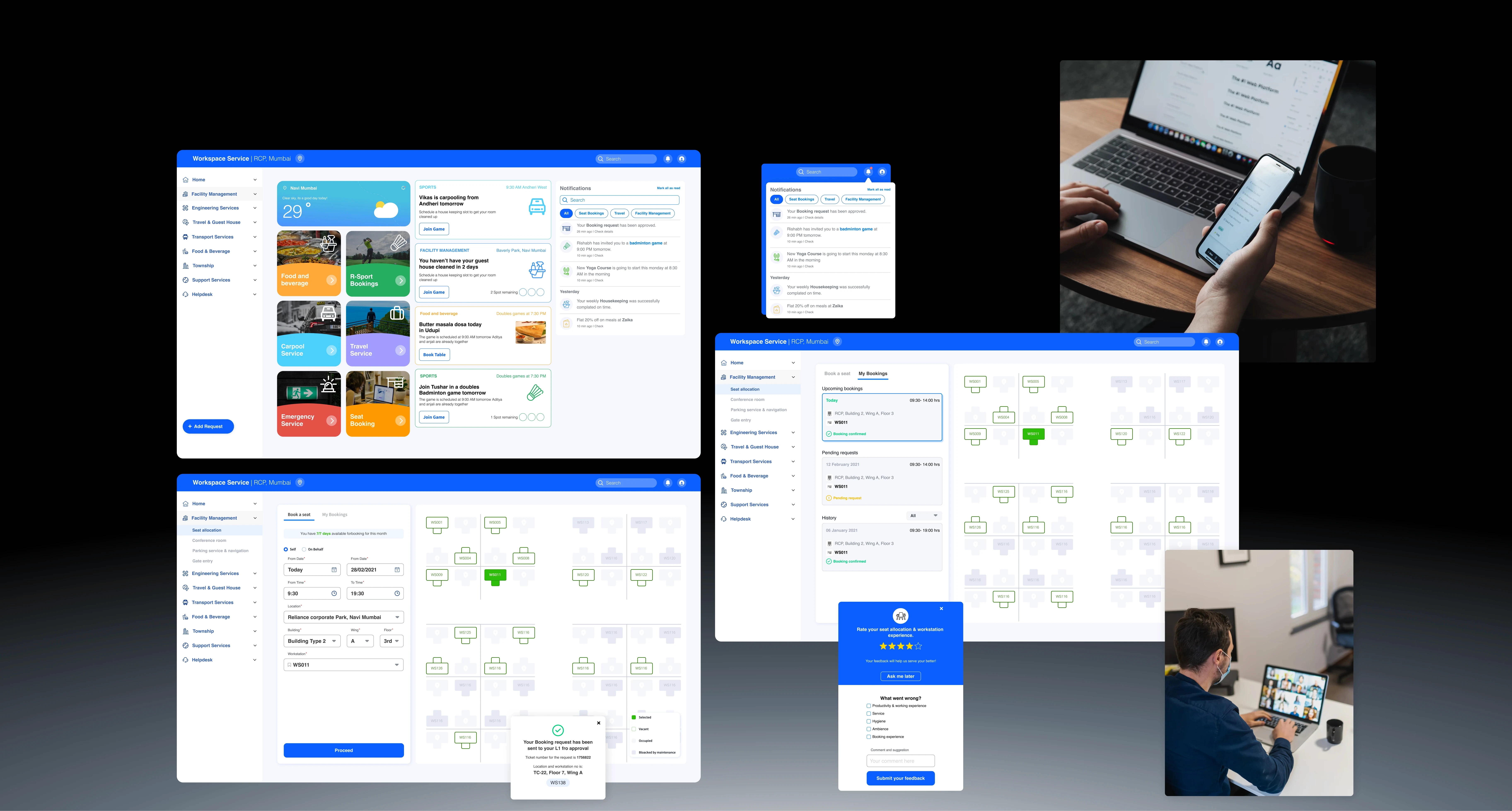
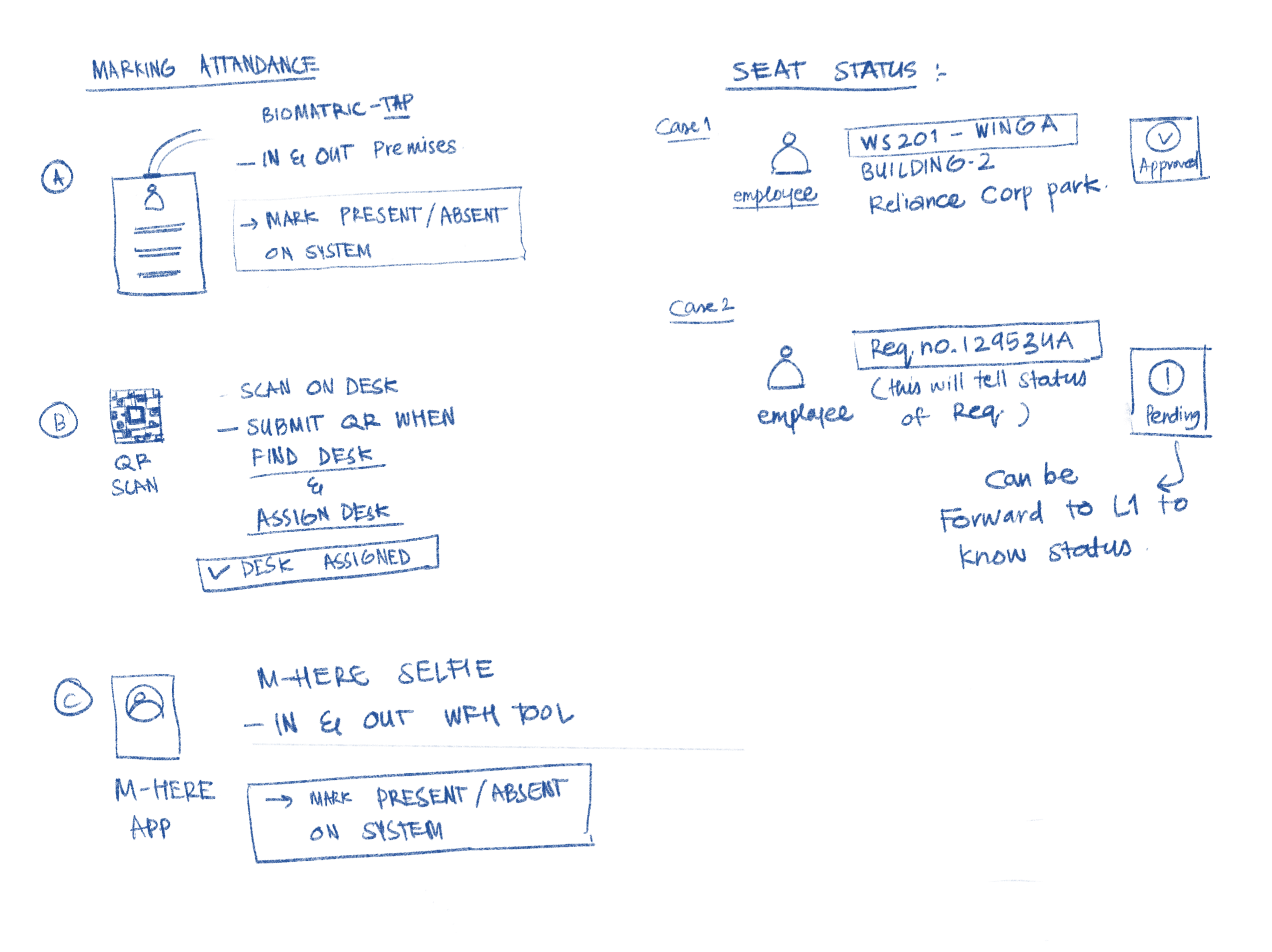
Designed across web and mobile, the system enabled employees to discover available workspaces, book seats and manage reservations, while giving administrators the control needed to manage workplace capacity.